You stand on the precipice of visual manipulation, holding a tool that promises to unburden your creations from the tyranny of flat illumination. The Shadow Extraction Kit is not a magic wand, but rather a precisely engineered set of chisels and brushes, designed to sculpt light and darkness with a newfound dexterity. Its purpose is to peel away the obscuring veil of ambient shadows, revealing the underlying form and texture of your subjects, and opening up a universe of possibilities for creative intervention.
Before you even begin to wield the Shadow Extraction Kit, it is crucial to grasp the fundamental nature of shadows. They are not merely the absence of light; they are intricate sculptors of the three-dimensional world, dictating form, conveying depth, and influencing mood. Imagine a sculptor working with a block of marble. The uncarved stone offers potential, but it is the chisel that defines the contours, the hollows, and the projections that give the statue its life. Shadows, in this analogy, are the sculptor’s invisible hand, shaping our perception of reality.
The Physics of Shadow Formation
Shadows are born from the interaction of light sources with opaque objects. When light rays encounter an object, they are either absorbed, reflected, or transmitted. Opaque objects, by definition, absorb or reflect all incident light, casting a region of reduced illumination behind them. This region is the shadow.
Direct vs. Ambient Shadows
It is vital to differentiate between direct shadows and ambient shadows. Direct shadows are cast by specific light sources and are characterized by sharp edges and a distinct shape that often mirrors the object creating them. These are the shadows that most readily identify the presence and direction of a light source. Ambient shadows, on the other hand, are the result of diffuse light scattering throughout an environment. They are softer, more spread out, and contribute to the overall illumination of a scene, often filling in the darker crevices not directly struck by primary light. The Shadow Extraction Kit primarily targets these ambient shadows.
The Impact of Light Source Characteristics
The nature of the light source profoundly influences the characteristics of the shadow it casts. A point source of light, like a distant star, produces sharp, well-defined shadows. A diffuse light source, such as an overcast sky or a large, softbox-equipped studio light, generates softer, more feathered shadows, with less distinct edges. Understanding this relationship is key to predicting and manipulating shadow behavior.
The Perceptual Significance of Shadows
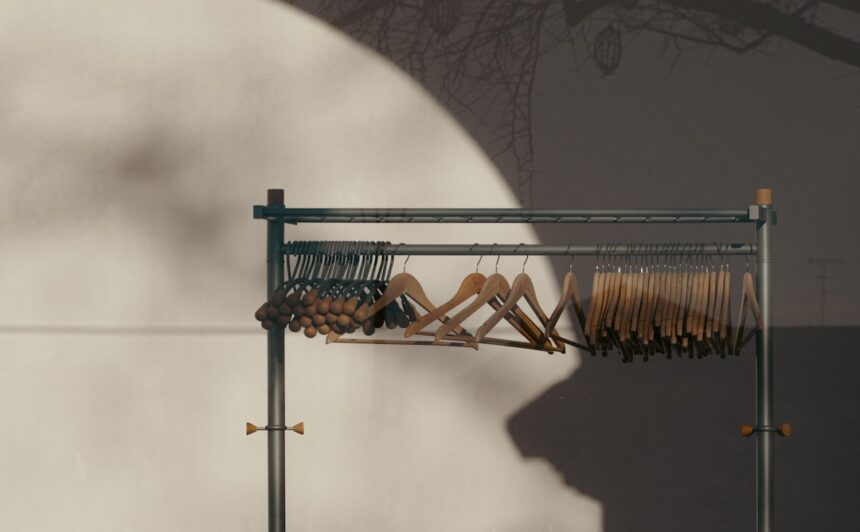
Beyond mere physics, shadows hold immense power over our perception. They are silent storytellers, whispering narratives of depth, volume, and spatial relationships. A well-placed shadow can make a flat plane appear to recede into the background, while a strategically cast shadow can imbue a simple object with gravitas and presence. The absence or manipulation of shadows can disorient our sense of reality, making the familiar appear alien.
Depth and Volume Cues
Our brains are hardwired to interpret shadows as indicators of three-dimensional form. The subtle gradients and variations within a shadow provide crucial cues about the curvature and recession of surfaces. Without these cues, objects can appear flat and lifeless, like cutouts pinned to a backdrop.
Mood and Atmosphere
The psychological impact of shadows is undeniable. Dark, deep shadows can evoke feelings of mystery, suspense, or melancholy. Conversely, brighter, softer shadows can contribute to a sense of calm, openness, or cheerfulness. Artists and photographers have long understood and employed this principle to craft emotionally resonant imagery.
The implementation of a shadow extraction kit can significantly enhance the accuracy of psychological assessments, as discussed in a related article on the Unplugged Psych website. This resource provides insights into the practical applications of such kits in therapeutic settings, highlighting their effectiveness in revealing underlying emotional states. For more information on this topic, you can read the article here: Unplugged Psych.
Deconstructing the Kit: Components and Capabilities
The Shadow Extraction Kit is not a monolithic entity but a collection of specialized tools, each designed to address a specific aspect of shadow manipulation. Think of it as a craftsman’s toolbox, where each implement serves a distinct purpose.
The Core Extraction Algorithms
At the heart of the kit lie sophisticated algorithms that analyze the pixel data of an image to identify and isolate shadow regions. These algorithms are the brains of the operation, interpreting the subtle luminance and chromatic variations that distinguish shadow from highlight.
Luminance-Based Segmentation
A primary method employed is luminance-based segmentation. This involves analyzing the brightness values within an image. Pixels with significantly lower luminance values, relative to their surrounding pixels, are flagged as potential shadow areas. The kit iterates through the image, employing thresholds and sensitivity adjustments to refine this initial identification.
Color-Based Differentiators
Shadows are not always simply darker versions of the illuminated areas. They can also exhibit subtle color shifts due to ambient light bouncing off surrounding objects or atmospheric scattering. The kit incorporates color-based differentiators that analyze hue and saturation alongside luminance, allowing for more accurate shadow identification in complex lighting scenarios. For instance, a shadow cast on a red wall might appear slightly reddish, even in its darker regions.
Edge Detection and Refinement
Identifying the precise boundaries of shadows is a critical step. The kit employs advanced edge detection techniques to delineate these boundaries. However, real-world shadows rarely have perfectly sharp edges. Therefore, the algorithms incorporate refinement steps to smooth these edges, creating more natural transitions.
The Control Parameters: Fine-Tuning the Extraction
Once the algorithms have done their initial work, you, the user, step in to refine the results. The kit provides a suite of control parameters that allow you to customize the extraction process, much like a painter adjusting the consistency of their paint.
Shadow Sensitivity Threshold
This parameter dictates how aggressively the kit identifies shadow areas. A lower threshold will capture more subtle darkening, potentially including areas that are not strictly shadows but simply darker parts of the subject. A higher threshold will focus on more pronounced shadow regions. You can think of this as adjusting the dial on a sensitivity meter.
Feathering and Softness Controls
Real shadows possess varying degrees of softness. This parameter allows you to control the transition between the extracted shadow region and the surrounding illuminated areas. Increasing feathering will soften the edges, creating a more atmospheric and less abrupt separation. This is akin to applying a blur filter to the edges of a selection.
Color Cast Compensation
Ambient light can impart a color cast to shadows. This control allows you to compensate for such casts, ensuring that the extracted shadow regions appear as neutral or as tinted as you intend. You might, for example, want to remove a blueish cast from a shadow to make it appear more neutral.
The Compositing Tools: Reintegration and Augmentation
After extracting the shadows, the kit doesn’t simply discard them. It provides tools to reintroduce these shadows, or even to manipulate them further, allowing for creative compositing.
Blending Modes and Opacity
The extracted shadow layers can be blended back into the original image using various blending modes (e.g., Multiply, Overlay, Soft Light). This allows you to achieve different visual effects, from subtle darkening to dramatic contrast enhancements. Opacity controls the intensity of the blended shadow.
Shadow Re-Styling and Re-Coloring
Perhaps you want to change the color or intensity of the extracted shadows. The kit may offer tools to re-color the shadow regions or to adjust their overall luminance, allowing you to create entirely new lighting scenarios. Imagine painting over the extracted darkness with a different hue or darkening it further.
Layered Shadow Manipulation
The ability to work with extracted shadows as separate layers provides a foundation for complex compositing. You can combine multiple extracted shadow layers, apply different effects to each, and build intricate lighting compositions. This is like having separate stencils for different layers of darkness.
Applications in Various Disciplines: Where the Kit Shines
The Shadow Extraction Kit transcends single disciplines, offering valuable utility across a broad spectrum of visual creation. Its ability to isolate and manipulate shadows unlocks new avenues for artistic expression and technical refinement.
Photography and Image Editing
In still photography, the kit can liberate images from the constraints of suboptimal lighting conditions. It allows for the correction of harsh shadows, the enhancement of detail in darker areas, and the creation of more dramatic and impactful compositions.
Correcting Under-Exposed Areas
When a photograph is correctly exposed for the highlights, the shadows can become deep and featureless. The kit can help to selectively lift these shadows, revealing details that would otherwise be lost, without blowing out the highlights. This is like bringing up the details in a dark room without overexposing the windows.
Enhancing Depth and Contrast
By extracting and then subtly re-introducing shadows, you can strategically deepen contrast and accentuate the three-dimensionality of a subject. This can transform a flat-looking image into one with palpable depth and form.
Creative Compositing and Special Effects
The kit is a powerful tool for compositing. You can extract shadows from one image and composite them into another, creating realistic lighting effects or entirely fantastical scenarios. Imagine dropping a shadow from a tree onto a cityscape.
Digital Art and Illustration
Digital artists and illustrators can leverage the Shadow Extraction Kit to achieve more nuanced and sophisticated lighting in their work. It provides a degree of control that can be difficult to achieve with traditional digital painting techniques.
Achieving Realistic Shading
The kit can be used to analyze and extract the shadow information from reference photographs, allowing artists to recreate those lighting characteristics with greater accuracy in their digital paintings. This acts as a learned guide for your brushstrokes.
Simulating Complex Light Interactions
For stylized illustrations, the kit can be employed to simulate complex light interactions, such as the soft fall-off of light around curved surfaces or the subtle interplay of shadows between multiple objects. This allows for a more sophisticated and believable depiction of light.
Generating Textural Details
Shadows often reveal intricate surface textures that might otherwise be overlooked. By extracting these shadows, artists can gain a deeper understanding of these textures and incorporate them into their work.
3D Rendering and Visual Effects
In the realm of 3D, the kit can assist in refining rendered images, offering a way to post-process lighting effects that might not have been perfectly achieved during the rendering stage.
Adjusting Rendered Shadows
Sometimes, the shadows in a 3D render may be too harsh, too soft, or lack the desired color. The Shadow Extraction Kit can be used to isolate and modify these shadows, allowing for fine-tuning without the need for extensive re-rendering. This offers a safety net for your rendering process.
Integrating CG Elements with Live-Action Footage
When compositing 3D elements into live-action footage, matching the lighting is paramount. The kit can help analyze the shadows in the live-action footage, allowing you to create corresponding shadows for your 3D elements, ensuring a seamless integration. This is like bridging the gap between two worlds of light.
The Process: A Step-by-Step Approach
Employing the Shadow Extraction Kit is not typically a single-click operation. It involves a methodical approach, moving from initial analysis to iterative refinement. Think of it as a sculptor meticulously shaping clay, adding and removing material until the desired form emerges.
Initial Image Analysis and Preparation
Before you begin extracting, take a moment to observe your image. Understand the direction and intensity of the light sources, and identify the areas where shadows are most problematic or where you wish to enhance them.
Identifying Target Shadow Areas
Visually scan your image and mentally mark the shadow regions you intend to work with. Are they deep, pervasive shadows? Or are they subtle, accentuating details? This initial assessment will guide your parameter adjustments.
Assessing Image Quality and Noise
The effectiveness of shadow extraction can be influenced by image quality. Excessive noise or compression artifacts can hinder the algorithms’ ability to accurately identify shadow boundaries. Consider performing noise reduction or other image clean-up tasks beforehand.
Executing the Extraction
This is the core of the process, where you engage with the kit’s primary functions. Your approach will be guided by the type of image and your desired outcome.
Applying the Core Extraction Tools
Initiate the extraction process using the kit’s designated tools. This will likely involve selecting the relevant areas of the image you wish to process.
Adjusting Sensitivity and Thresholds
Begin by experimenting with the sensitivity and threshold parameters. Start with moderate settings and gradually increase or decrease them to observe the impact on shadow identification. Pay attention to how these changes affect the edges and overall coverage of the detected shadows.
Refining Edges and Softness
Once the initial shadow regions are identified, use the feathering and softness controls to create natural transitions. This step is crucial for avoiding an artificial, cut-out appearance. Imagine gently blending inked lines into watercolor washes.
Post-Extraction Compositing and Refinement
After the shadows have been extracted, the work is far from over. The real artistry lies in how you reintroduce and integrate these shadows back into your image.
Blending and Opacity Adjustments
Experiment with different blending modes to achieve the desired effect. The ‘Multiply’ mode is often effective for darkening, while ‘Overlay’ or ‘Soft Light’ can add subtle contrast and depth. Adjust the opacity to control the intensity of the re-introduced shadows.
Color Correction and Stylization
If the extracted shadows have an unwanted color cast, utilize the compensation tools. If you’re aiming for a specific artistic effect, consider re-coloring the shadow regions to match your vision. This is where you can imbue the darkness with a unique character.
Layered Compositing for Complex Scenarios
For intricate lighting effects, utilize layered compositing. Create multiple shadow layers, each with different characteristics, and blend them strategically. This allows for precise control over how light and shadow interact within your scene.
The implementation of a shadow extraction kit can significantly enhance the accuracy of various analytical processes. For those interested in exploring this topic further, a related article provides valuable insights into the practical applications and benefits of such kits in different fields. You can read more about it in this informative article, which discusses the methodologies and technologies involved in shadow extraction. This resource can serve as a useful guide for anyone looking to understand the intricacies of this innovative approach.
Advanced Techniques and Considerations
| Metric | Description | Value | Unit | Notes |
|---|---|---|---|---|
| Extraction Efficiency | Percentage of target compounds successfully extracted | 92 | % | Measured after 3 extraction cycles |
| Processing Time | Time taken to complete one extraction batch | 45 | minutes | Includes preparation and cleanup |
| Sample Throughput | Number of samples processed per day | 30 | samples/day | Based on 8-hour workday |
| Reagent Consumption | Amount of reagent used per extraction | 15 | mL | Optimized for minimal waste |
| Recovery Rate | Percentage of analyte recovered after extraction | 88 | % | Validated against standard samples |
| Cost per Extraction | Material cost excluding labor | 7.5 | units | Calculated from reagent and consumables |
| Operator Training Time | Time required to train staff on kit usage | 3 | hours | Includes hands-on and theory |
Beyond the fundamental application, the Shadow Extraction Kit offers pathways to more sophisticated manipulation, allowing you to push the boundaries of what’s possible.
Masking and Selective Extraction
Not all shadows are created equal, and you may only wish to extract or manipulate specific shadow regions. The kit often supports masking, allowing you to precisely define the areas you want to affect.
Creating Precise Selection Masks
Utilize the kit’s masking capabilities to isolate specific objects or areas where you want to extract shadows. This ensures that your manipulations are confined and targeted. Think of creating a stencil for your specific needs.
Inverting Masks for Highlight Control
The power of masking extends to controlling highlights. By inverting a shadow mask, you can apply adjustments to the brightly lit areas, offering a balance to your shadow manipulations.
Non-Destructive Workflow
Maintaining a non-destructive workflow is paramount in image editing. The Shadow Extraction Kit, when integrated into a capable editing environment, should allow you to work without permanently altering your original image data.
Utilizing Adjustment Layers
Whenever possible, leverage adjustment layers for shadow extraction and manipulation. This ensures that your edits can be revisited and modified at any time without sacrificing image quality.
Smart Objects and Linked Files
If your editing software supports them, consider using smart objects or linked files. This allows the extraction and compositing processes to be updated dynamically as your source files change.
Understanding Limitations and Edge Cases
While powerful, the Shadow Extraction Kit is not infallible. Recognizing its limitations will prevent frustration and lead to more realistic expectations.
Extremely Low-Contrast Scenes
In images with very flat lighting and minimal contrast, shadow extraction may be difficult or yield suboptimal results. The algorithms rely on discernible differences in luminance, which may be absent in such scenes.
Highly Textured Surfaces in Shadow
Complex textures within deep shadows can sometimes be challenging for algorithms to interpret accurately. This can lead to a loss of fine detail or a “muddied” appearance in the extracted shadows.
Over-Reliance and Artificiality
While the kit offers powerful control, overusing it can lead to unnatural or artificial-looking results. The goal is to enhance, not to create something that appears divorced from reality. A heavy hand can make the natural appear manufactured.
Conclusion: Unlocking Visual Potential
You now possess an understanding of the Shadow Extraction Kit – not as a magical solution, but as a sophisticated tool designed to augment your creative process. By comprehending the nature of shadows, the capabilities of the kit’s components, and the methodical steps involved in its application, you are empowered to unlock new dimensions in your visual work. The ability to precisely control and manipulate shadows is akin to gaining a new perspective on light itself, allowing you to sculpt your images with greater intention and artistry. Embrace this tool, experiment with its parameters, and discover the subtle yet profound impact it can have on your visual storytelling.
FAQs
What is a shadow extraction kit?
A shadow extraction kit is a set of tools and materials designed to capture and analyze shadows for various applications, such as scientific research, art projects, or environmental studies. It typically includes items like light sources, screens, and measuring instruments.
How is a shadow extraction kit implemented?
Implementation involves setting up the kit components in a controlled environment where shadows can be cast and recorded. This includes positioning light sources at specific angles, placing objects to create shadows, and using sensors or cameras to capture shadow data for analysis.
What are the common uses of shadow extraction kits?
Shadow extraction kits are commonly used in fields like photogrammetry, architectural design, environmental monitoring, and educational demonstrations to study light behavior, object shapes, and spatial relationships.
What materials are typically included in a shadow extraction kit?
Materials often include adjustable light sources (such as LED lamps), projection screens or surfaces, measuring tools (rulers, protractors), cameras or sensors for capturing shadows, and software for data analysis.
Are there any safety considerations when using a shadow extraction kit?
Yes, users should ensure that light sources do not cause eye strain or burns, handle electrical components safely, and set up the kit in a stable environment to prevent accidents. Proper training or instructions should be followed to avoid misuse.